
Suggest a case
Not sure what case you need? Start designing and we’ll suggest the best cases to fit your gear. Follow the instructions below to help you get started.
Need help?
Email customerservice@larsonpkg.com and we’ll help find the right case for you.
01
Getting started
Open the app
Launch the LPC Case & Foam Builder desktop app.
Place your items
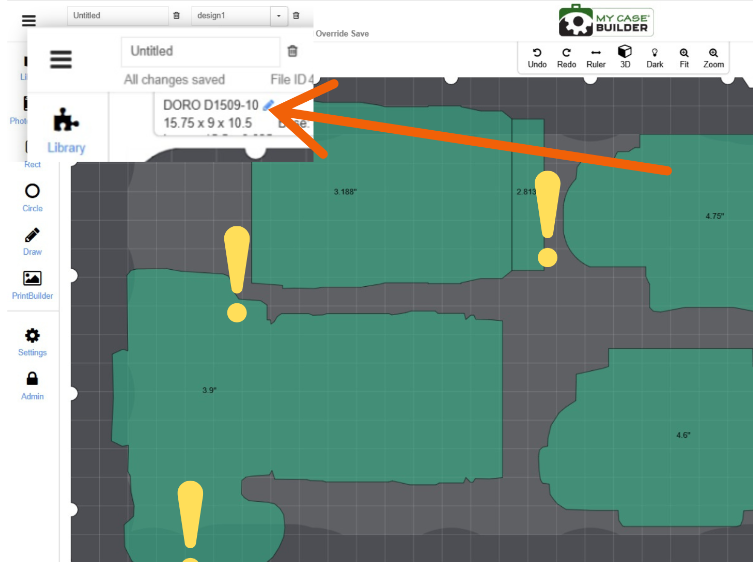
Arrange your gear on the grid. You can add shapes from the library or use the PhotoTracer feature to trace objects precisely.
Adjust the case size
If the case is too big or too small for your gear, click the pencil icon next to the case model in the upper-left corner.
Suggest a case
This will open the Suggest A Case screen.
02
Change your case
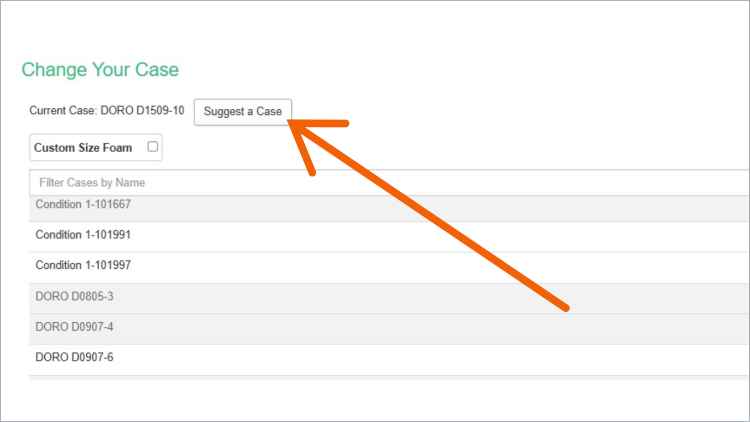
A list of suggested cases will appear, simply click the “Suggest A Case” button at the top left of the screen.
03
Case suggestions
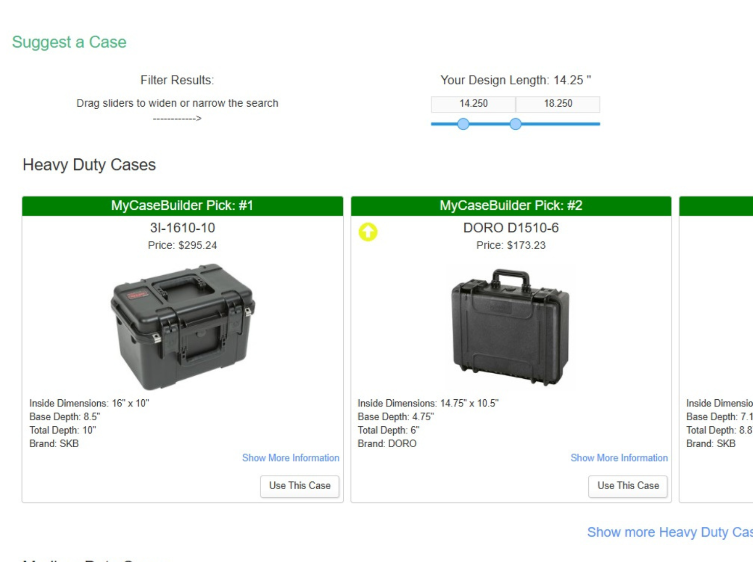
A list of recommended cases appears with the model number and dimensions shown.
Browse cases organized by protection level: Heavy duty (maximum protection), medium duty (everyday protection), light duty (basic protection).
You can filter the case suggestions by standard or price. Filter by LxWxD, drag sliders to widen or narrow the search.
Once you’ve found a case that fits your needs, click the “Use This Case” button.
04
Improved fit
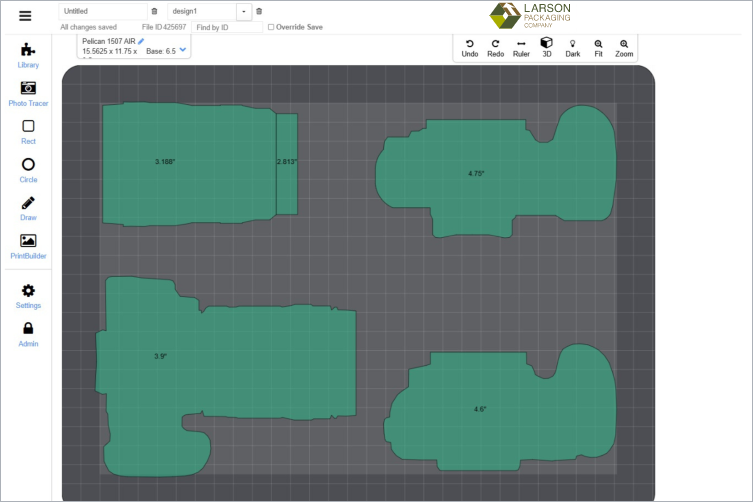
With your gear fitting better you can continue designing.
Add additional cutouts, use PrintBuilder to add branding elements, and TrayBuilder if you have space and would like to make another level in the foam.
You can always restart the process if you’re not satisfied with the fit.
Tips & tricks
- Arrange your shapes in a horizontal rectangle formation.
- After you place item shapes on the canvas, you may need to Zoom Out to view all shapes easier.
- Keep shapes at least one blue square apart. Each blue square is 1/2 inch.
- Keep shapes at least one blue square apart. Each blue square is 1/2 inch.
- After you place item shapes on the canvas, you may need to Zoom Out to view all shapes easier.
- If you see a yellow arrow next to a case suggestion, it means “some or all of your shapes are larger than the base and will stick up into this lid.” If you select a case with the arrow, we recommend choosing convoluted (egg crate) foam for lid for best protection.
Need help choosing? Email customerservice@larsonpkg.com and we’ll find the right solution for you.